Full instructions Step-by-Step
Expand content
Expand content
For Economics Majors
Steps to Make an Appointment with the ECO:
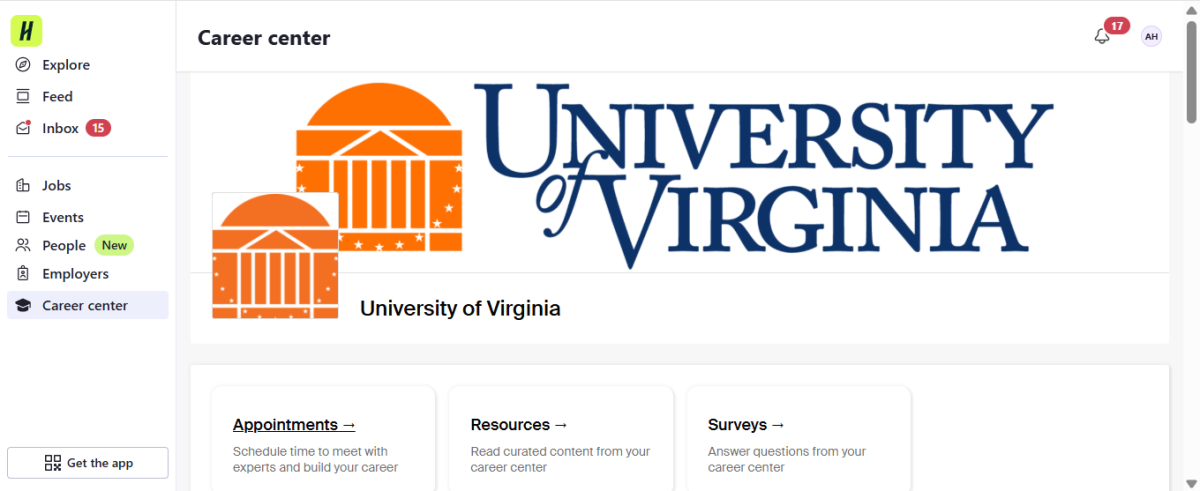
- Log into your Handshake student profile.
- Click on the "Career Center" tab on the left hand menu sidebar.
- Click "Appointments."
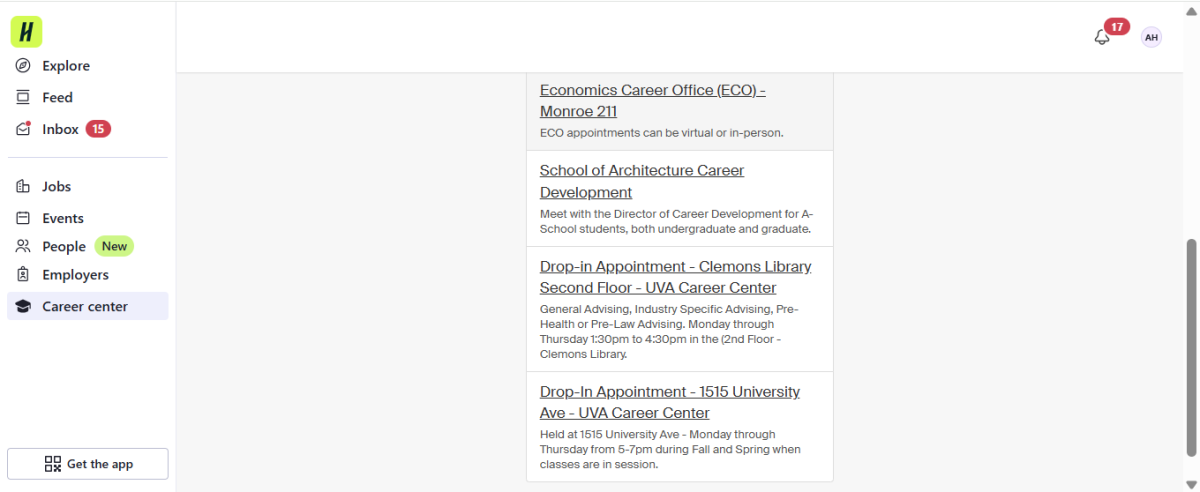
- Click "Schedule a new appointment."
- Scroll down until you see "Economics Career Office (ECO) - Monroe 228"
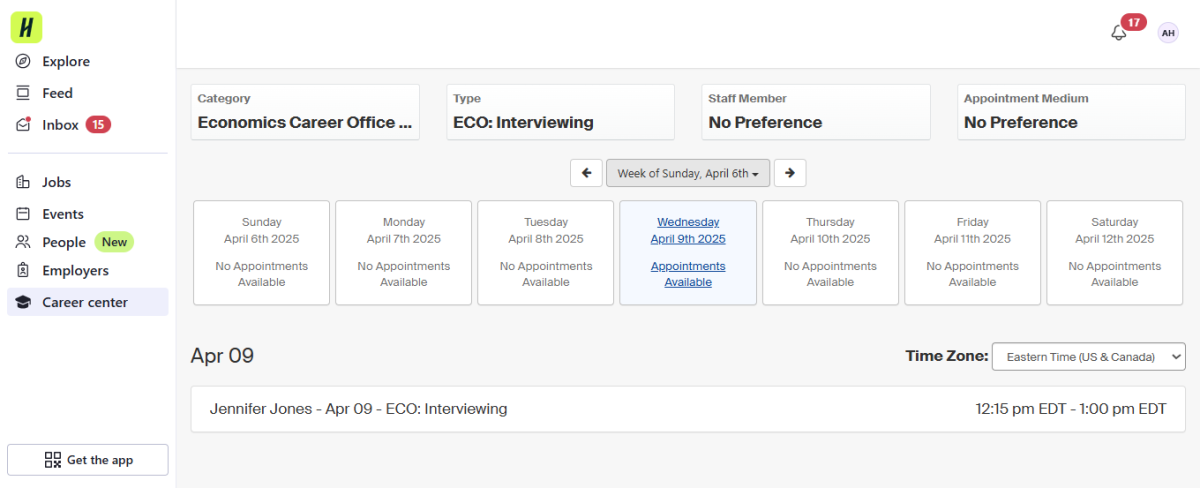
- Choose your appointment type: Interviewing, Networking, General/Other, Mock Interview, Grad School, Offer Negotiation, Job Search Strategies, Major/Career Exploration, Summer Search, Resume Cover Letter, or Mock Case Interview.
- After viewing all available timeslots for a meeting in the upcoming week, select the timeslot that works best for you.
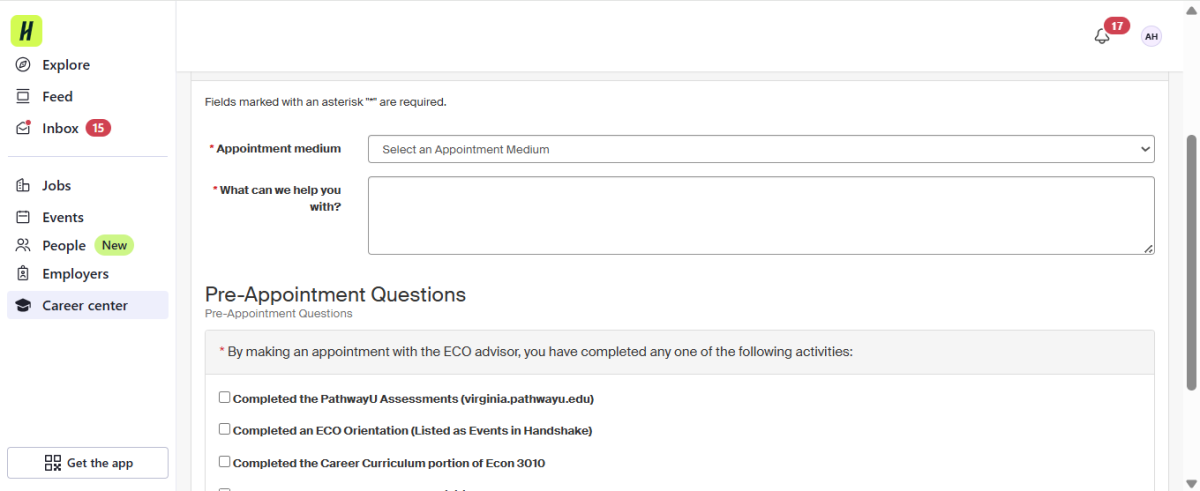
- Select your appointment medium: (Virtual or In-Person).
- Provide a brief, 1-2 statement of what your goals are for the meeting or how the ECO can serve you under "What can we help you with?"
- Be sure to select the most relevant answer or answers in the "Pre-Appointment Questions" section.
- Click "Request" to request your appointment with the ECO!
- If you are not an economics major, write to Jen Jones at jlh7b@virginia.edu to ask for an appointment by sharing your weekly availability between 9 am and 3pm on Tuesdays and Fridays.
Image
Image
Image
Image
Expand content
For Undeclared Students
Send your availability and details about the guidance you are seeking by email to Jennifer Jones at jlh7b@virginia.edu. Please include dates and times Monday-Friday between 9 am and 3:30 pm.
You should receive a reply from the ECO within three business days.